In my last blog, I showed the configuration file, which stores the properties of the Task Repositories. And I stated, NetBeans sadly offers the new-editor only. But there is an task repository editor!
I used it once, few years ago. Since I usually don’t need it, I forgot about it. NetBeans offers a “Team” menu to report or search tasks. And I searched this menu for a repository editor without avail. Thus, I located the configuration file.
Today Tomas Stupka thankfully reminded me, where to find this editor:
Within the service view, expand “Task Repositories”. Choose the repository you want to edit and open the context menu (secondary mouse click):
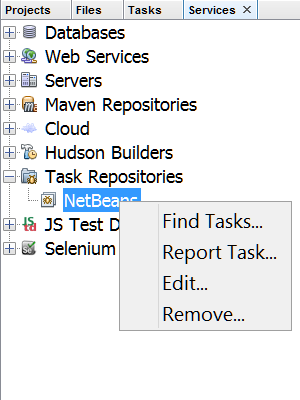 Now choose “Edit…”.
Or choose the Menu “Window, Task” (Ctrl+Schift+6) and open the context menu on the repository of your choice:
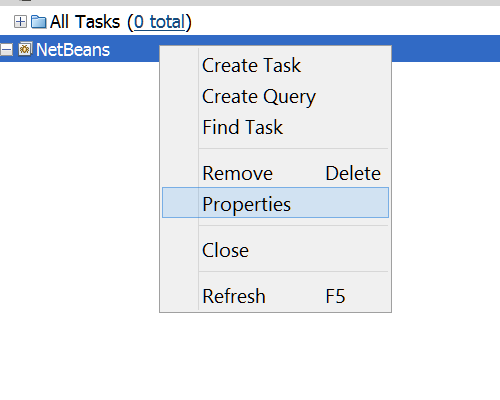 Choose “Properties”.
Both ways lead you to the task repository editor.
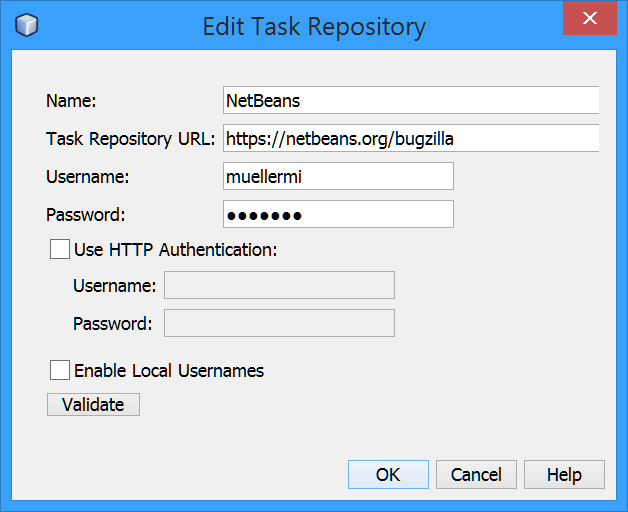 Enjoy!